For picky-eater households
Dinner your picky eater will actually eat. Planned for the whole family.
Tell us their safe foods. NumYum plans a week everyone eats, adapts any recipe into a plate they’ll accept, and keeps track of what they try.
Start free. No card required.
Your first week of dinners is ready in about a minute.
First month on us. Then $4.99 a month. No card required.
Want to see a sample week first?
Already have an account? Log in
- One dinner, two plates: the family version and theirs
- Every recipe marked “will they eat this?” before you cook it
- A running count of new foods tried and accepted
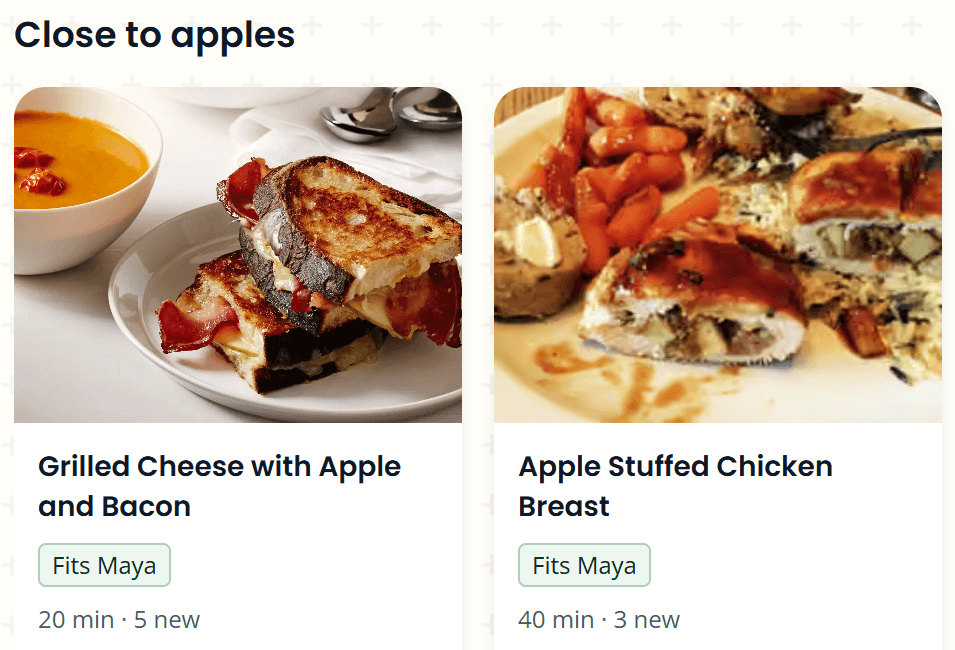
Recipes for Maya
Will they eat this?
Each idea is marked “Fits Maya”.
Not only a picky eater at your table? The same week starts from the dinners you already make, cooks once for two nights, and takes requests from the family.
Your table
Built around who is actually eating.
The picky eater plan that gets somewhere, and a card for everyone who feeds them.
A plan that gets somewhere
One gentle stretch a week
Every plan is built from foods your kid already accepts, plus one meal that's a single small step beyond — never more, never if you're not ready.
Two taps after dinner
Ate it, tried it, or not this time. Not this time is normal — it can take 10+ tries, and serving it still counts.
Wins that add up
When a food lands twice, one tap makes it a safe food — and next week's plan knows.
A card for anyone else who feeds them
Anyone with a link sees exactly that card: first names and food notes only, never ages, never your account.
No pressure. No food battles. No three separate dinners.
Build a plan around my picky eaterOr let them fill in their own.
Send a link. Grandma, the sitter or your teenager fills in what they eat and what they won't. No account. You see every change, with Undo.
What you see on Your table

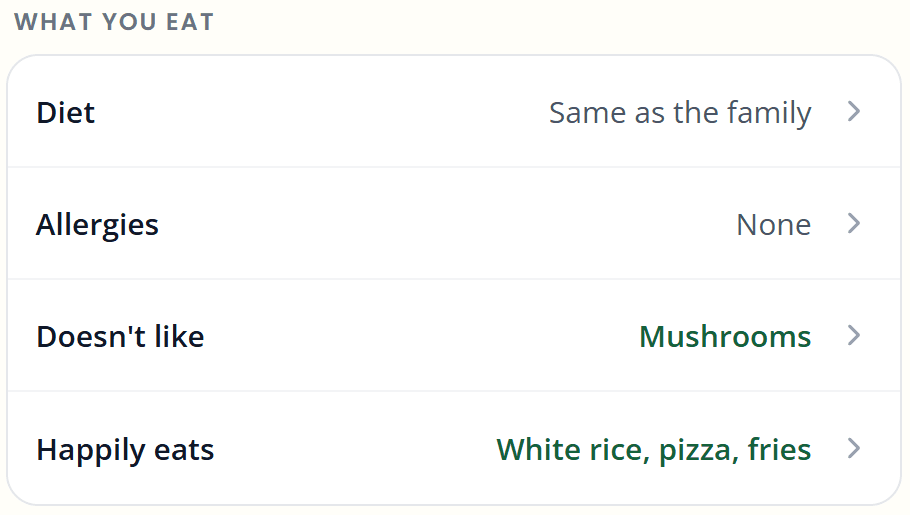
Nut-free, halal, vegan, high-protein.
Same dinner.
Allergies are your kitchen's one hard rule, never cooked with. A diet leaves out what does not fit. “Lean towards” moves the rest up. Set them once for the whole table; what only one person avoids goes on their card.
How it works
One week with NumYum, start to finish.
Every part of the app shows up where it belongs in the week. Here is one, then each step in turn.
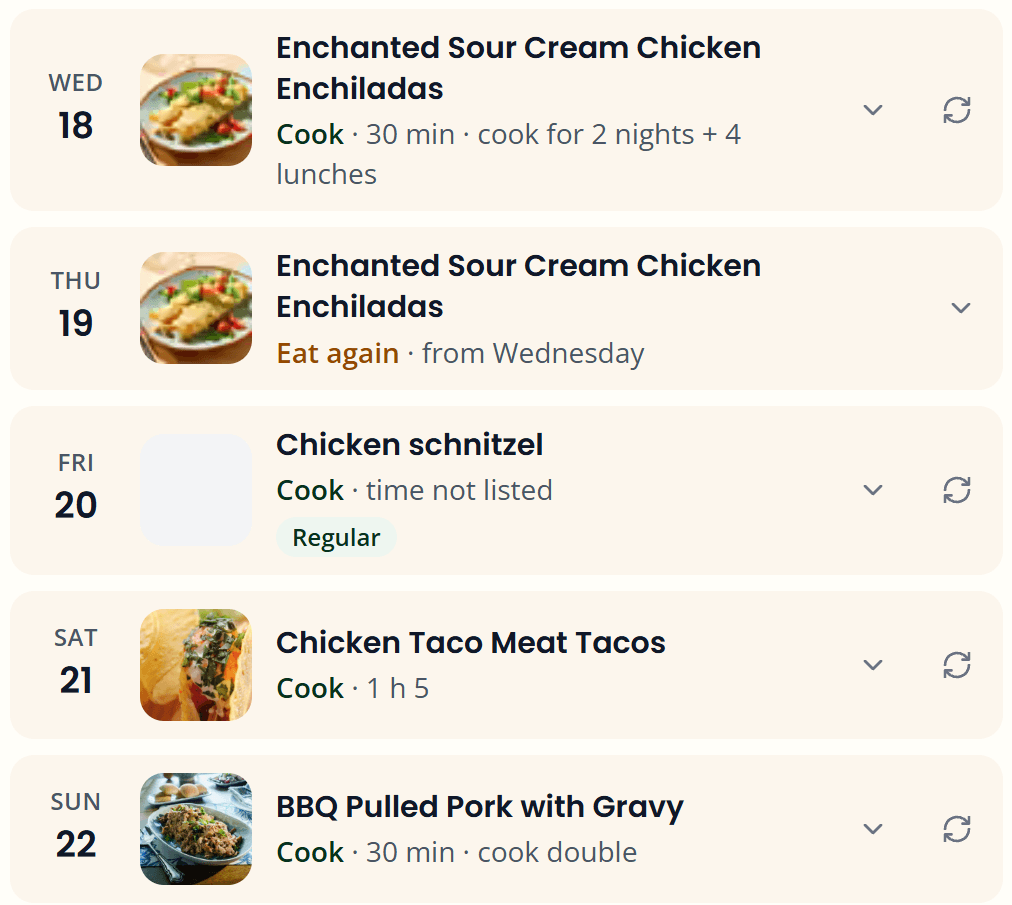
- Wedcook for 2 nights + 4 lunches
- Extra portions for lunches are added to your biggest cook.
- ThuEat again · from Wednesday
- Cook a bigger batch once, and a later night has nothing to cook.
- FriRegular
- A dinner you already make. A name is enough, and you choose how much of each week is regulars and how much is new.
- Sunday
Say what the week looks like
In your own words, or from a menu you kept.
Plan a week - Sunday
Shop once
One list for the week, with what is already in the pantry taken out.
Grocery list and pantry - Any weeknight
Still on for tonight?
A check-in that knows tonight's dinner. Swap it, get prep notes, open the week.
Tonight and chat - At the stove
Cook one step at a time
Cook mode, a servings stepper, and a version of the recipe for the plate that needs it.
Cook mode - After dinner
Say how it went
Two taps per person. Wins add up, and a food that lands twice joins their list.
Your table - Next Sunday
Keep what worked
The week becomes a menu. Use it again, or hand it to another family by link.
Menus
Plan
Plan it your way. Three doors into the same week.
However it starts, the week fills in night by night with a short reason each, and one tap makes it yours with the grocery list already started.
In your own words
Type it the way you would say it. Sunday prep, a quick night after practice, tacos on Friday.
Keep what works. Swap what doesn't.
If one dinner looks wrong, swap it without starting over. Lock the nights you love and regenerate the rest.
From a week you kept
A week your table liked is a menu. Use it again and the recipes are picked fresh for who is eating.
Shop and cook
Shop once. Cook without the guesswork.
The week rolls into one list, the pantry comes off it, and every recipe opens as a page you can cook from.
One grocery list, pantry subtracted
Every ingredient from every dinner, once, with the recipes it serves.
Snap your pantry
Photograph a shelf and NumYum lists what is on it. Each dinner shows how much of it you already own.
Cook mode
One step at a time, the ingredients for that step, a servings stepper, and a version made for the plate that needs it.
Tonight
Still on for tonight?
A chat that knows tonight's dinner, your table and your week. Included on every plan.
Search and Taste Feed
Find a recipe by what you feel like eating.
Type a craving or tap a filter. Or let the Taste Feed match recipes to what your table already loves, with a score on each one.
Everything inside
The rest of the week, handled too.
The same plan that works for your picky eater also does these. Every picture is the real app.
Regulars
List the dinners you already make. You choose how much of each week is regulars and how much is new.
See it belowTheir own card, from a link
Send a link and they fill in what they eat. No account for them, and you can undo any change.
See it belowAsk the family
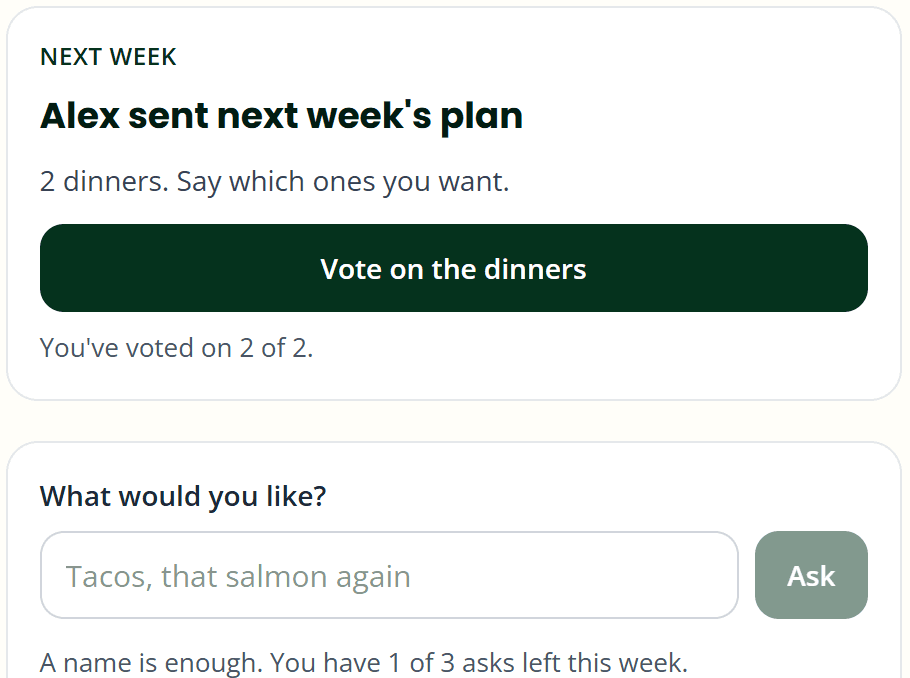
Each person can ask for up to three dinners a week, and vote on the week you send.
See it belowRecipes for one person
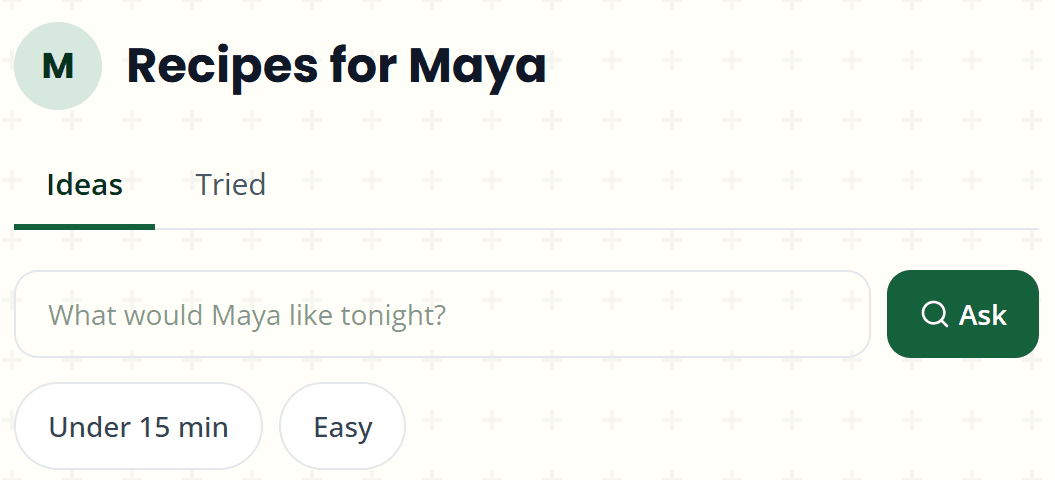
Ask what Maya would like tonight. Each recipe says whether it fits Maya.
See it below
Planning the week
Regulars
List the dinners you already make. You choose how much of each week is regulars and how much is new.
- Mark dinners as cooked and NumYum suggests the ones you make often as regulars.
- Swap one dinner without rebuilding the week, or lock the ones you like and regenerate the rest.
For your picky eater
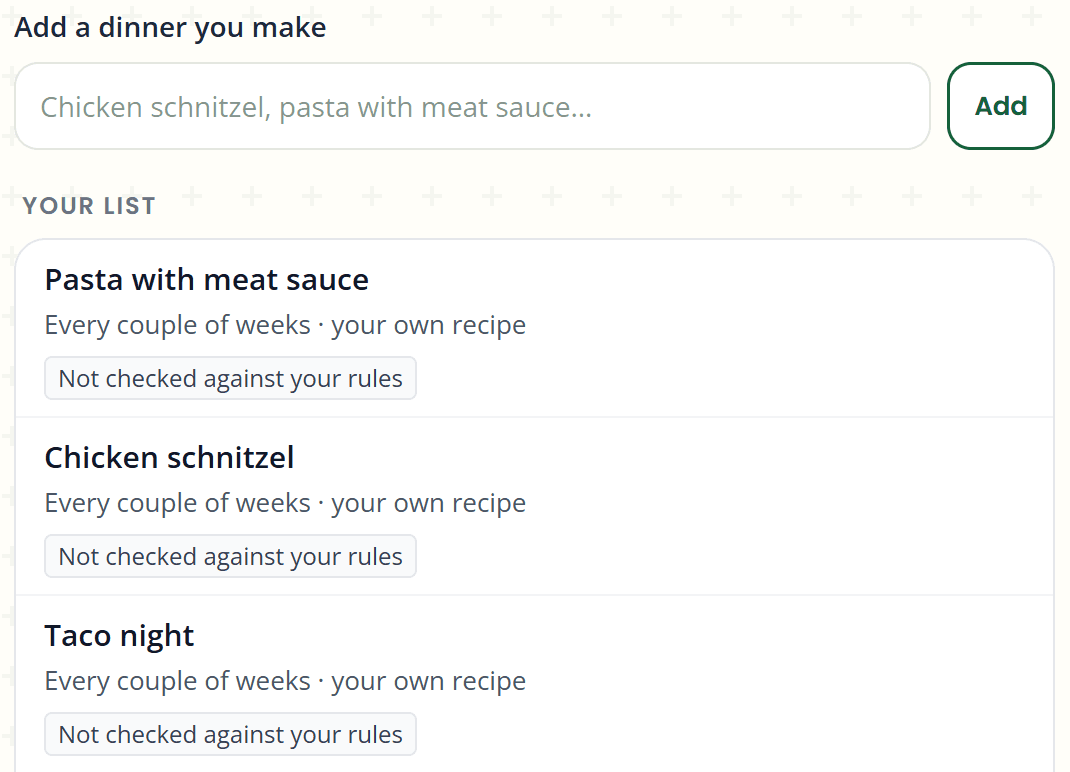
Their own card, from a link
Send a link and they fill in what they eat. No account for them, and you can undo any change.
- A card for each eater: the foods they reliably eat, what they are warming up to, and what to leave off.
- Set allergies and diets once and the week is planned around them. Always check packaged ingredients yourself.
The family chimes in
Ask the family
Each person can ask for up to three dinners a week, and vote on the week you send.
- Others can tap “Me too” on a dinner someone asked for.
- Send the planned week to your family and see who wants each dinner before you shop.
- When an asked-for dinner makes it onto the week, that night shows who asked.
For your picky eater
Recipes for one person
Ask what Maya would like tonight. Each recipe says whether it fits Maya.
- Dinners close to foods they already eat, each labelled to show if it fits them.
- One dinner, two plates: the family version and theirs.
- Two taps after dinner. A dinner they eat twice can join their safe foods with one more tap.
Read the full list of what you get
For your picky eater
6 things- A card for each eater: the foods they reliably eat, what they are warming up to, and what to leave off.
- One dinner, two plates: the family version and theirs.
- Recipes for one person: dinners close to foods they already eat, each labelled to show if it fits them.
- Two taps after dinner. A dinner they eat twice can join their safe foods with one more tap.
- Their own card from a link: no account needed, and you see every change and can undo it.
- Set allergies and diets once and the week is planned around them. Always check packaged ingredients yourself.
Planning the week
5 things- Type the week the way you would say it, and NumYum plans dinners around it and your household.
- Swap one dinner without rebuilding the week, or lock the ones you like and regenerate the rest.
- Regulars: list the dinners you already make, and choose how much of each week is regulars and how much is new.
- Mark dinners as cooked and NumYum suggests the ones you make often as regulars.
- Set how often you cook, from every day to twice a week.
Shopping and cooking
4 things- One grocery list for the whole week.
- Pantry: things you already have come off the list.
- Cook mode: one step at a time.
- Tonight: a check-in that knows tonight’s dinner.
The family chimes in
5 things- Only the cook needs an account. Everyone else opens their own link.
- Each person can ask for up to three dinners a week.
- Others can tap “Me too” on a dinner someone asked for.
- Send the planned week to your family and see who wants each dinner before you shop.
- When an asked-for dinner makes it onto the week, that night shows who asked.
Menus and finding recipes
4 things- Keep a week you liked as a menu, and use it again to build a new week.
- Share a menu by link. Anyone can look, and another family can make it their own week.
- Recipe search that flags any recipe that breaks your household’s allergies or diets.
- A Taste Feed that matches recipes to what you have rated and cooked.
Your first month is free
Your first month is on us — full access to weekly dinner plans, grocery lists, swaps, and family profiles, with no credit card required. After that, keep everything for $4.99/month.
Build my dinner planWhat's Your Biggest Dinner Challenge?
Every family is different. Find the meal planning solution that fits your life.
Weekly Family Meal Plan
Get a personalized weekly dinner plan for your family of 4 in under 60 seconds.
Picky Eater Meal Plans
Discover meals even your pickiest eater will love — no battles at the dinner table.
Budget-Friendly Meal Plans
Stretch your grocery budget with ingredient reuse and practical weeknight dinners.
Quick Family Dinners
30-minute meals the whole family will enjoy. Perfect for busy weeknights.
Allergy-Friendly Meal Plans
Safe, delicious meals for families managing food allergies and dietary restrictions.
Anti-Inflammatory Meal Plans
Science-backed meal plans featuring anti-inflammatory foods to reduce inflammation and boost health.
Questions parents usually ask
- Yes — your first month is completely free, with no credit card required. You get full access to weekly dinner plans, grocery lists, swaps, and family profiles. After your first month, it is $4.99/month to keep going.
- You get 5 to 7 realistic dinners, one grocery list, meals adapted to allergies and dislikes, easy swaps, and saved household preferences for next week.
- Yes. NumYum treats allergies and dislikes as planning constraints and keeps those preferences visible across your weekly dinners and swaps. Always double-check packaged ingredients yourself.
- No. One person plans. Each person at your table gets their own link to say what they eat, ask for dinners and vote on a week you send. No sign-up.
- No. Add the dinners you already make as Regulars, then choose the mix each week, from only regulars to mostly new.
- Swap it without rebuilding the whole week. NumYum suggests replacements that still fit your timing, household constraints, and grocery list.
- Yes. Family preferences, favorites, ratings, and past swaps help future plans start closer to what your household will actually cook and eat.
- You sign in or create an account, answer a few setup questions, and move into building your dinner plan for the week.